AI for Small Business: Where to Start with Operations
AI for small business, without the hype: the back-office tasks worth automating first, how to keep people in control, and a safe way to get started.
AI for small business is most useful today in the repetitive, rules-heavy work behind the scenes: drafting documents, matching records, chasing replies and flagging things that look wrong. Start there, keep a person approving anything important, and measure the time saved before you expand.
The loud claims about AI replacing whole teams are not what most owners need. What you probably need is for your best people to stop spending Friday afternoons on admin.
What AI can realistically do in operations
AI is good at tasks that involve reading text, spotting patterns and producing a first draft. In a company that makes, moves or sells goods, that covers a lot of ground:
- Drafting. Quotes, purchase orders, supplier emails, customer replies.
- Matching. Checking a supplier invoice against the order and the goods received.
- Summarising. Turning a long email thread or a week of orders into a short brief.
- Monitoring. Watching stock levels, overdue invoices or late deliveries and raising a flag.
- Answering routine questions. “Where is my order?” or “What is the lead time on this item?”
It is weaker where judgement, relationships or unusual circumstances dominate. Negotiating a difficult supplier contract is still a human job.
Where to start: a short list
Pick tasks that are frequent, boring, low-risk and easy to check.
| Task | Why it suits AI | Human check |
|---|---|---|
| Drafting purchase orders from reorder points | Rules are clear | Approve before sending |
| Chasing overdue invoices | Repetitive and time-consuming | Review wording, approve sends |
| Answering order-status enquiries | Data is already in the system | Escalate exceptions |
| Matching invoices to receipts | Pure comparison | Review mismatches |
| Summarising the week’s sales | Saves reporting time | Sense-check numbers |
The difference between a chatbot and an AI coworker
A general chatbot answers questions in a window. It does not know your stock, and it cannot do anything on your behalf.
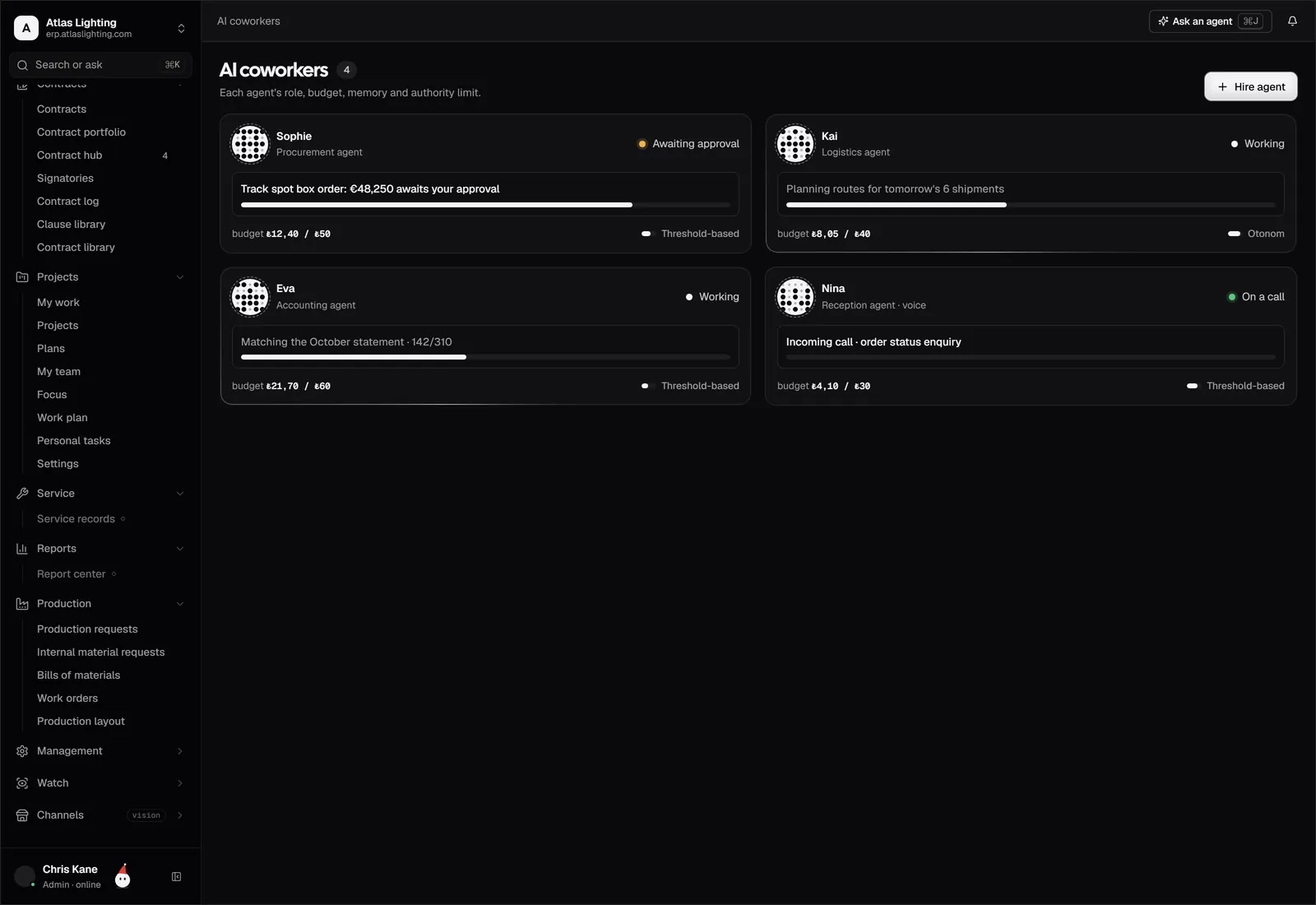
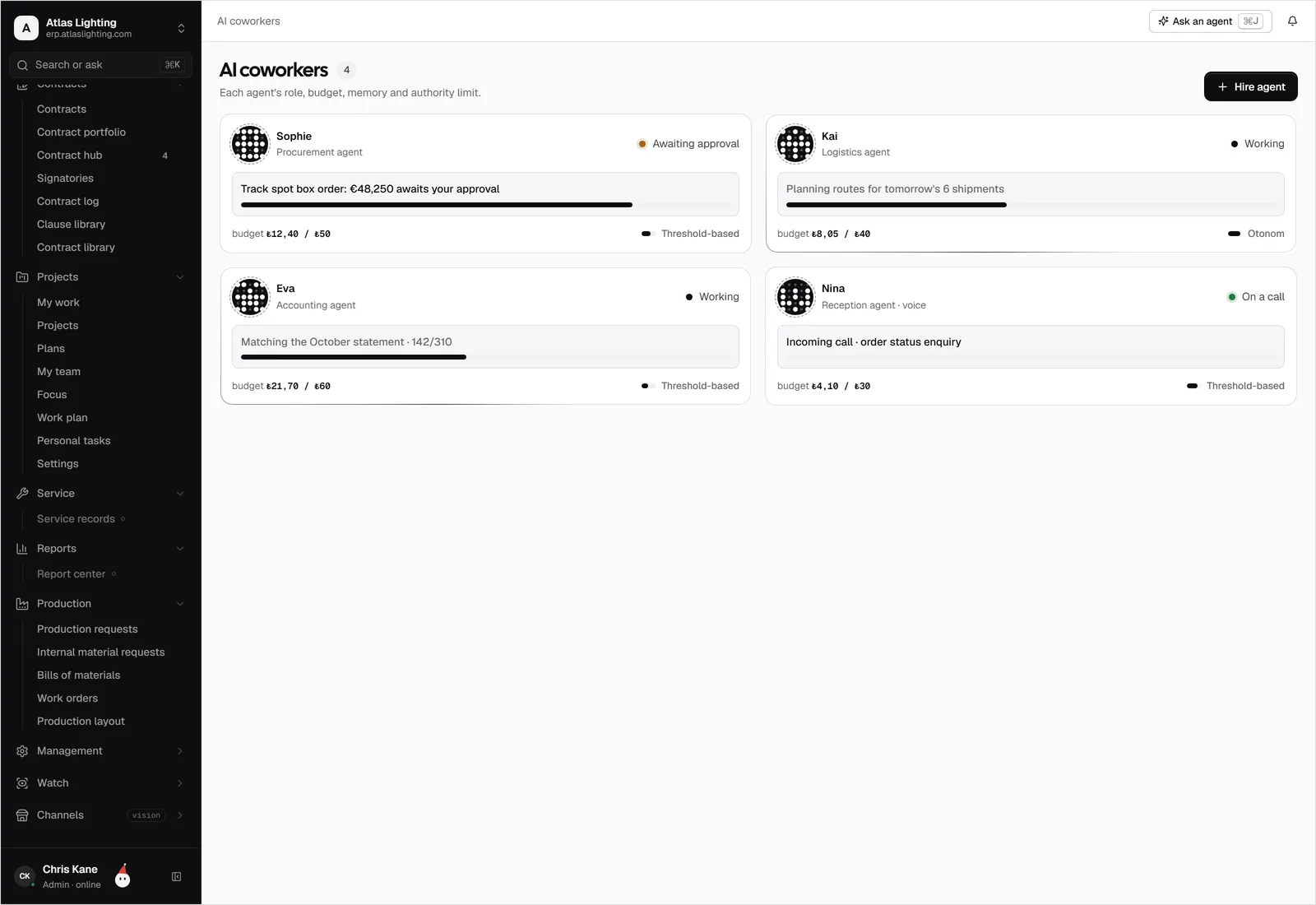
An AI coworker is closer to a junior member of staff. It has a defined role, such as buyer, receptionist or accountant, works inside your business system, and can take real actions within limits you set. In Dika Ops, AI coworkers work inside strict permissions and ask a person to approve anything important. That approval step is the point: you get the speed without handing over the keys.
A safe way to adopt AI
- Choose one process. Not the whole business. For example, supplier follow-ups.
- Write down how it works today. If you cannot describe it, you cannot automate it.
- Define what the AI may and may not do. Read-only first, then drafting, then acting with approval.
- Keep a person in the loop. Require sign-off on money, contracts and anything customer-facing until you trust it.
- Measure. Time saved, errors caught, response times. Keep what works.
- Expand gradually. Move to the next process once the first is stable.
Risks to manage
- Wrong answers delivered confidently. AI can be plausible and incorrect. Make it work from your actual records and require approval for important actions.
- Data exposure. Be clear about what information leaves your systems and who can see what. Ask vendors directly.
- Over-automation. Automating a broken process just breaks it faster. Fix the process first.
- Permission creep. Give any AI, like any employee, the minimum access it needs for the job.
- Loss of skill. Keep people aware of how key processes work, so they can spot when something is off.
AI plus automation, not AI instead of structure
Automation (rules such as “when stock drops below X, create a draft purchase order”) and AI (reading, drafting, judging) work well together. Rules handle the predictable cases cheaply and reliably. AI handles the messy ones that need reading and interpretation.
Both work far better when your data is in one place. An assistant that has to reconcile five spreadsheets will struggle just as a person does. This is part of why an ERP with built-in automation is a stronger foundation than bolting AI onto scattered tools.
A worked example: supplier follow-ups
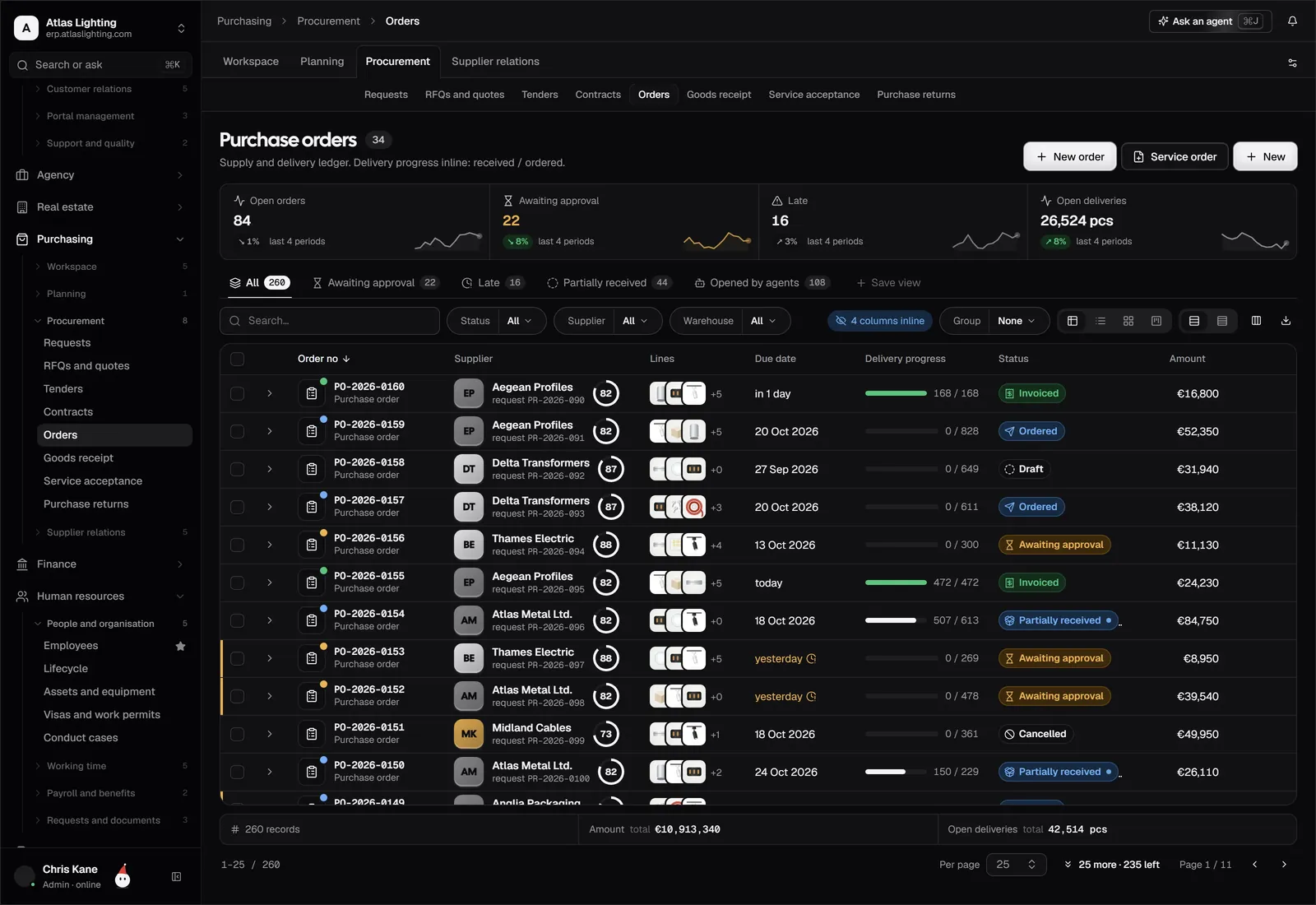
Consider a buyer who spends an hour a day chasing suppliers about late deliveries. The process is simple: check which purchase orders are past their promised date, email the supplier, note the reply, update the expected date and warn sales if a customer order is affected.
Every step is either a lookup, a short email or a record update, which makes it a good candidate. An AI coworker can compile the list of late orders each morning, draft the follow-up emails and update the records once suppliers reply. The buyer reviews and approves the messages, and handles the cases where a supplier is genuinely in trouble. The hour becomes ten minutes, and the human time goes where judgement matters.
Questions to ask any vendor
- Which actions can the AI take, and which require approval?
- Can I see a log of what it did and why?
- How are permissions set and enforced?
- Where does my data go, and is it used to train anything?
- What happens when the AI is unsure?
FAQ
Is AI affordable for a small business?
Often, yes, particularly when it is built into software you already need. The bigger cost is usually the time to set up processes properly, so begin with one narrow use case.
Will AI replace my staff?
For most small businesses, the realistic benefit is freeing people from routine admin so they can handle customers, suppliers and exceptions. Decisions about roles are yours; the sensible approach is to use AI to take on the tasks nobody enjoys.
Do I need to be technical to use AI in my business?
No. Good business software should let you describe roles and rules in plain language. You do need a clear understanding of your own processes.
How do I stop AI making costly mistakes?
Limit what it can access, require human approval for money and external communications, and review its activity log, especially in the first weeks.
Getting started
Pick one dull, repetitive task this week and write down how you do it. That is your first candidate for automation. Dika Ops is an AI-native ERP, currently in closed beta, built around AI coworkers that work within strict permissions. You can join the waitlist to try it.