ERP for Wholesale Distributors: What to Look For
ERP for wholesale distributors explained: the features that matter for buying, stock, pricing and fulfilment, and how to shortlist a system without overpaying.
ERP for wholesale distributors is a single system that connects buying, stock, pricing, sales orders, delivery and finance, so you always know what you hold, what is on its way in and what each customer owes. If you buy in volume and resell in smaller lots, the margin lives in the details: the right price for the right customer, the right stock in the right place, and invoices that go out on time. This guide covers what a distributor should look for and the mistakes to avoid.
Why distribution is different from other businesses
A distributor does not make anything. Your product is availability: the right item, at the right time, at a fair price, with reliable delivery. That puts unusual pressure on a few areas.
- Stock accuracy. If the system says you have forty and the shelf holds twelve, you lose a sale or ship late.
- Many SKUs, many suppliers. Catalogues of thousands of lines, each with its own lead time and minimum order quantity.
- Customer-specific pricing. Trade accounts, volume breaks, contract prices and promotions all coexist.
- Thin margins. A small pricing error or an unnoticed supplier price rise can erase a month of profit.
- Cash tied up in stock and receivables. You pay suppliers before customers pay you.
A spreadsheet or a basic accounting package can cope for a while. Eventually the same data gets typed into three places and nobody trusts any of it.
The core capabilities a distributor needs
Inventory across locations
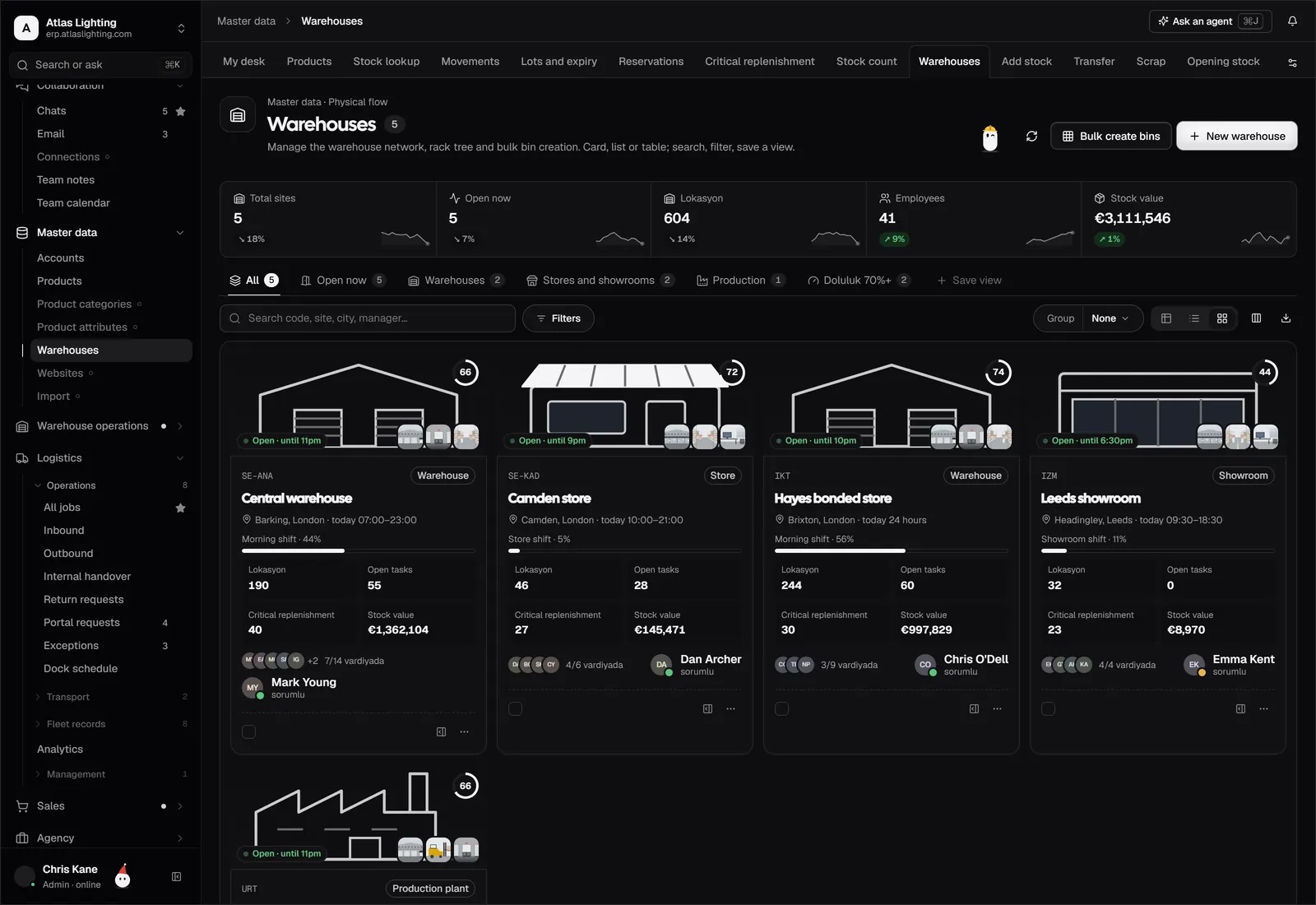
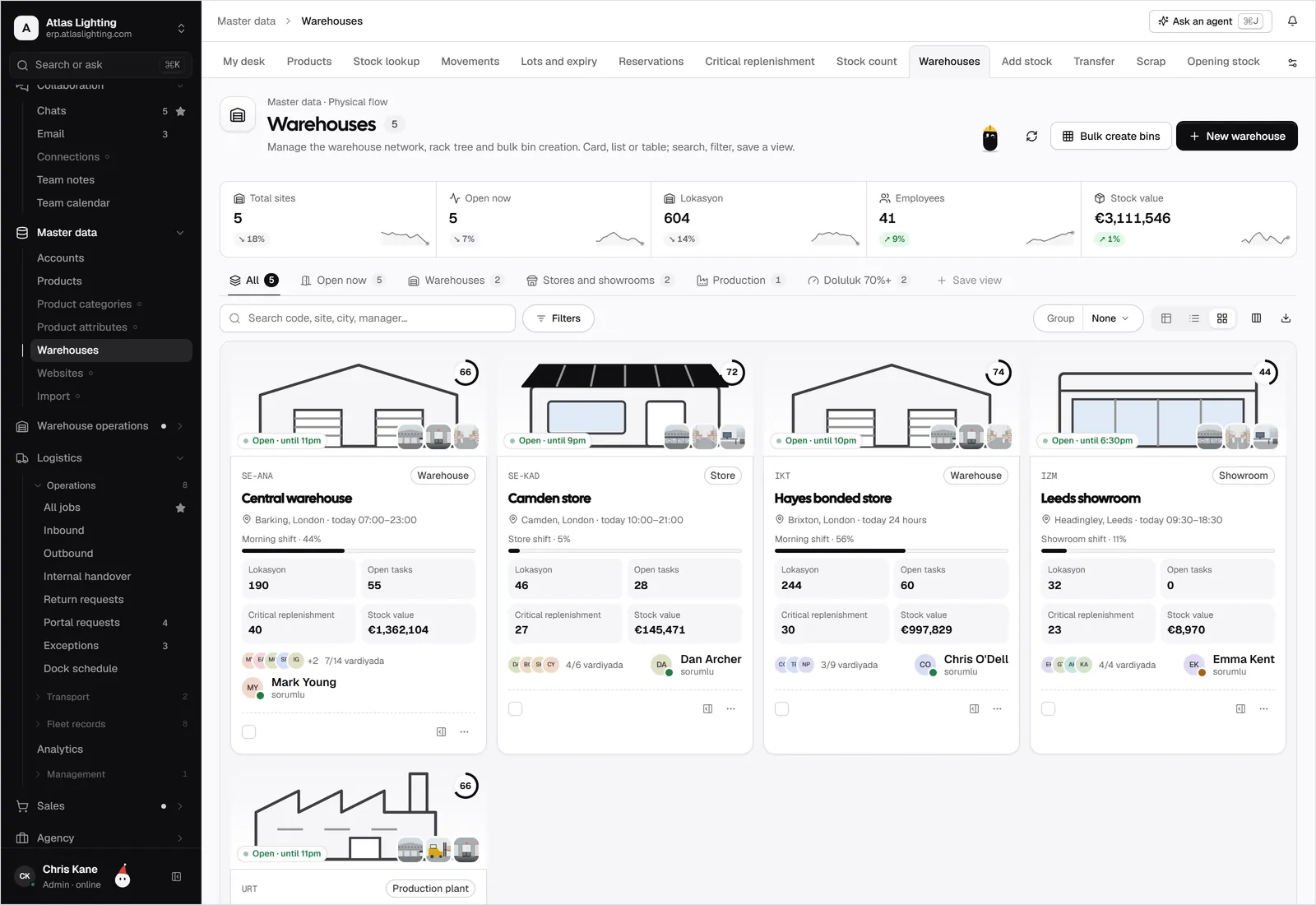
You need stock by item and by location (warehouse, bin, van, consignment), with reservations against open orders. Look for the difference between on-hand, allocated and available stock, and for transfers between sites. Lot or serial tracking and barcode scanning matter if you sell regulated, perishable or warranty-bearing goods. The inventory module in Dika Ops covers stock by location.
Purchasing and supplier management
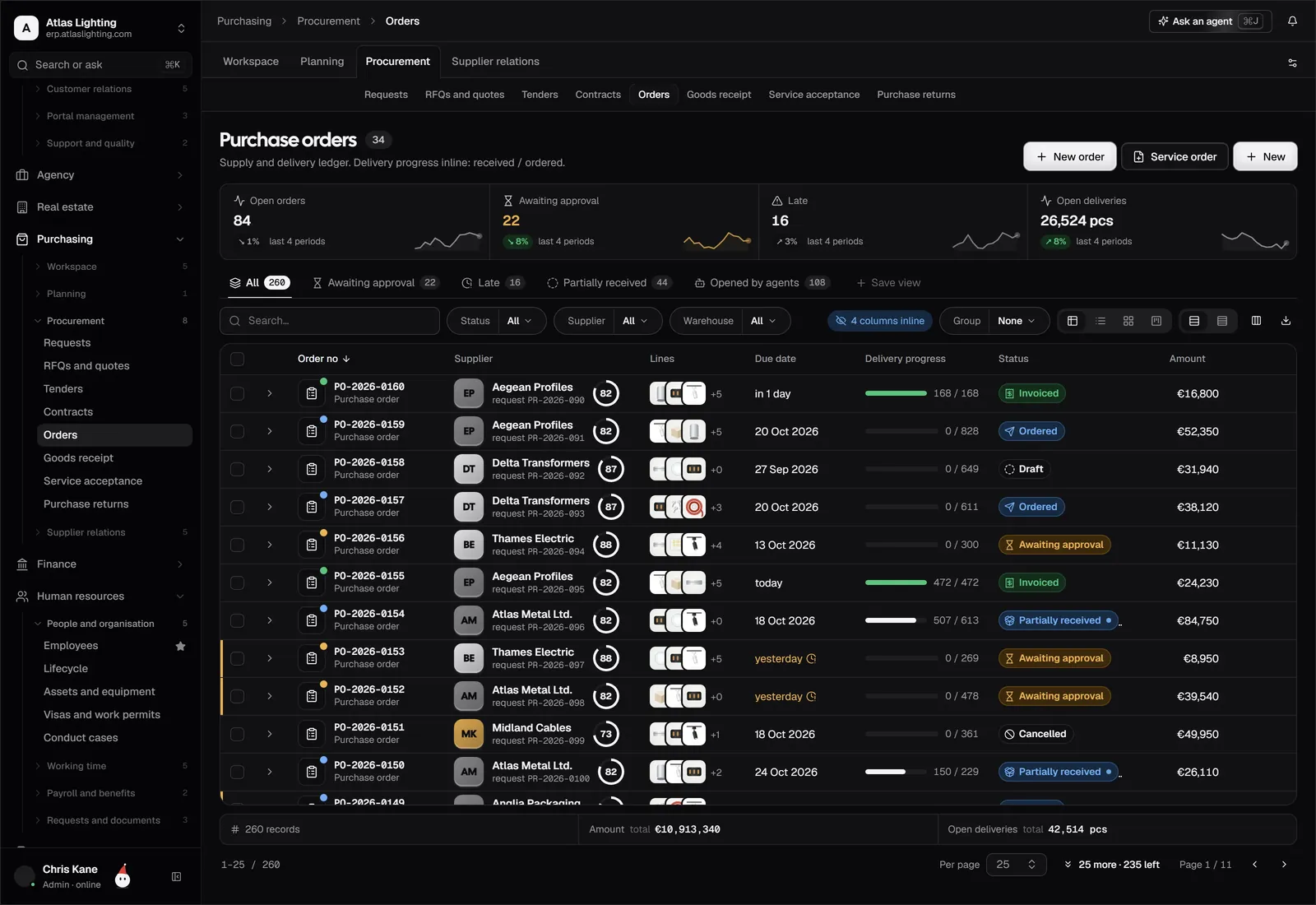
Good purchasing turns demand into purchase orders with minimal manual work. Useful features include reorder points, supplier lead times, minimum order quantities, price comparison across suppliers and approvals before an order is released. The purchasing module in Dika Ops is built around this flow, including requests for quotation between suppliers.
Sales orders, quotes and pricing
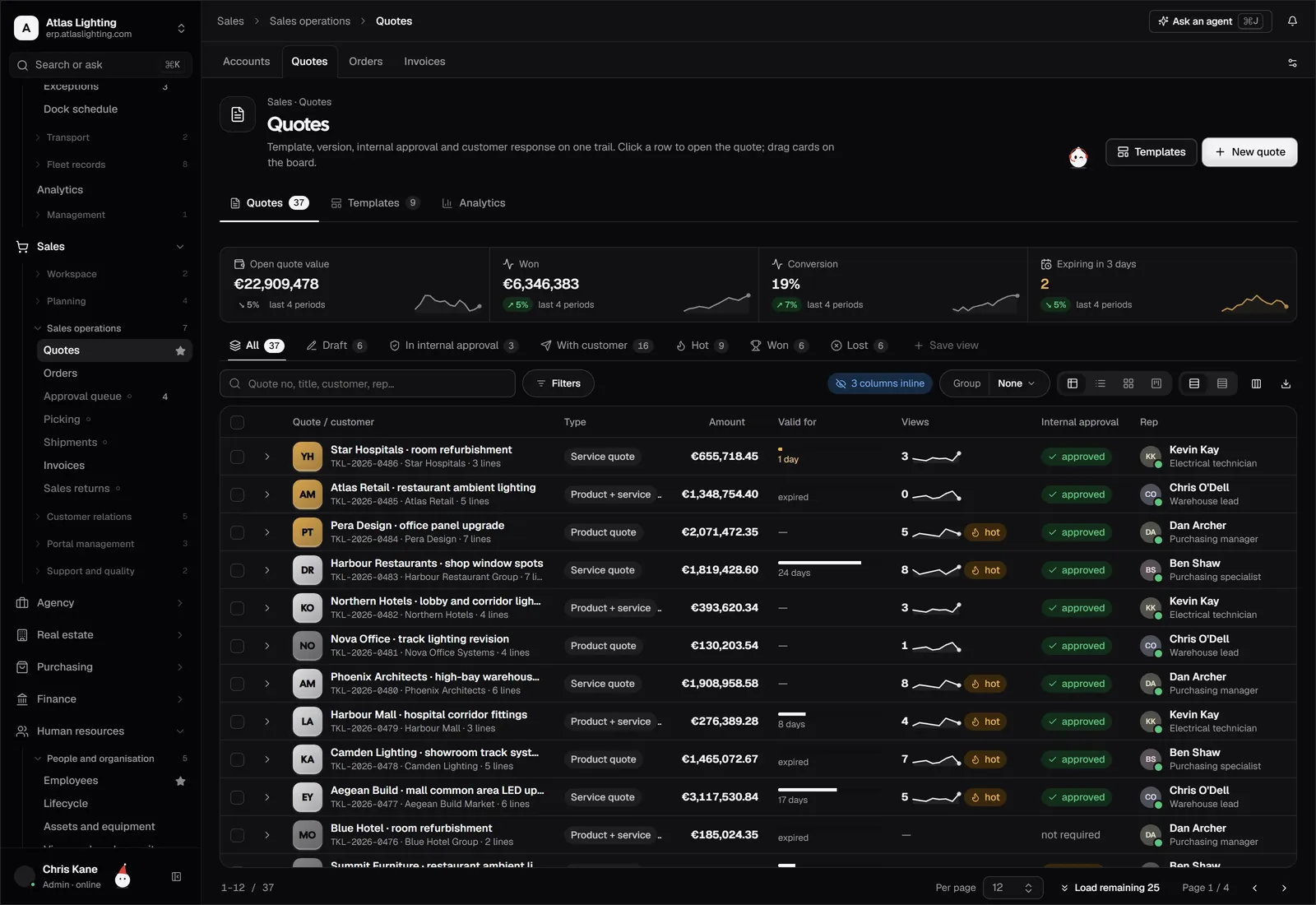
Trade customers expect quick quotes and consistent prices. Check that the system supports price lists by customer group, volume breaks, discounts with limits that need approval, and converting a quote into an order in one step. Orders should reserve stock immediately so two salespeople do not promise the same pallet.
Warehouse and fulfilment
Pick, pack and ship need to be quick and traceable. Even a small distributor benefits from pick lists, packing confirmation and delivery notes generated from the order. As you grow, check whether built-in warehouse features are enough or whether you need a dedicated warehouse system.
Finance that follows the stock
Receiving goods should create the accrual, invoicing should post revenue and cost of sales, and customer payments should match open invoices. When inventory and finance share one database, margin by product and customer comes out without a month-end rebuild in Excel.
Spreadsheets, accounting software and ERP compared
| Need | Spreadsheets | Accounting package | ERP |
|---|---|---|---|
| Live stock by location | Manual, error-prone | Limited or add-on | Built in |
| Customer price lists | Several files | Basic | Native, with approvals |
| Reorder suggestions | Formulas you maintain | Rare | Built in |
| Supplier comparison | Manual | Rare | Built in |
| Margin by item and customer | Month-end effort | Partial | Available from live data |
| Audit trail | None | Partial | Full |
This is a general pattern rather than a statement about any single product, so test the specific systems you shortlist.
How to choose: a practical checklist
- Map your real flow. Write down how an order travels from enquiry to cash, including the awkward cases: back-orders, returns, substitutions and part shipments.
- List your volume. Number of SKUs, orders per day, locations and users. This stops you buying far more or far less than you need.
- Decide what must integrate. Online shop, carrier, bank feeds and your accounting setup.
- Run a scripted demo. Give the vendor ten of your own scenarios, not their stock demo.
- Ask about data migration. Item lists, customers, price lists and opening balances are where projects stall.
- Check permissions and approvals. Who may change a price, release a purchase order or write off stock?
- Plan the roll-out. Start with one warehouse or product family if you can.
Where AI helps a distributor
Repetitive work is a good fit for automation under human control: chasing supplier confirmations, drafting reorders, matching delivery notes to purchase orders, or answering “where is my order?” enquiries. In Dika Ops, AI coworkers can take on roles such as buyer, working inside strict permissions and asking a person to approve anything important. You keep control; they take the routine.
Common mistakes
- Buying on feature count rather than fit to your flow.
- Loading dirty data. Duplicate items and customers become permanent noise.
- Ignoring the warehouse team during selection. If scanning and picking are clumsy, they will work around the system.
- Customising too early. Run standard first, then change what truly hurts.
FAQ
What is the difference between a distributor and a wholesaler for ERP purposes?
In practice the software needs are the same: buy in bulk, hold stock, sell on account and deliver. Some distributors have exclusive supplier agreements or add services such as kitting, but the core functions overlap.
Do I need an ERP or just inventory software?
If you only need to track stock, inventory software may be enough. Once you also want purchasing, pricing, customer accounts and finance to share one set of data, an ERP is usually the better fit.
How long does it take to implement ERP in a distribution business?
It depends on the number of locations, the quality of your data and how much you customise. A phased approach, starting with one site or product family, usually reduces risk.
Can an ERP handle multiple warehouses?
Yes, a good one tracks stock by location and supports transfers between sites. Check how it handles reservations and in-transit stock during your demo.
Next step
Dika Ops brings sales, purchasing, inventory and finance into one system for companies that move and sell goods. It is in closed beta, and you can join the waitlist to be considered for early access.